Google Adsense Earning Trick With Coading Sript

  • Subscribe to our RSS feed.
  • Twitter
  • StumbleUpon
  • Reddit
  • Facebook
  • Digg
Showing posts with label Tips for High Traffic. Show all posts

Tuesday, 18 June 2013

How to Add link Of Post Below Every Post In blogger

Posted on 09:43 by Ashish Chaturvedi
How to Add link Of Post Below Every Post In blogger
Crackstrick readers today I am going to tell you about showing your post links under the specified post. Today I am providing this to get much backlinks to your site. This helps the readers to copy your post so that you get the backlinks to your site. As you know when backlinks increases it gradually increases the site traffic. There are many tips to increase traffic of your site, for traffic increasing tips view our Tips For High Traffic session
 So readers now follow the following steps to Add link Of Post Below Every Post In blogger

Step 1. Login to your Blogger

Step 2. Go to Template

Step 3. Edit HTML

Step 4. Expand Widget Templates" checkbox

Step 5. Now Press Ctrl+F inside the HTML code and find the text given below
                
                                        <data:post.body/>


Step 6. And just below the codejust paste the following code given below


<b:if cond='data:blog.pageType == &quot;item&quot;'>
<p style='color: #7AA1C3;font-weight: bold;'>Do you like this post? Please link back to this article by copying one of the codes below.</p>
<p style='color: #CF152A;font-weight: bold;'>URL Of Post:
</p><textarea cols='60' id='url' onclick='this.focus();this.select()' readonly='readonly' rows='2' style='border:2px solid #666;background:#fff; height: 2.6em; width: 98%;' title='Click to highlight'><data:post.url/></textarea><br/>
<p style='color: #CF152A;font-weight: bold;'>HTML Link Code:</p>
<textarea cols='60' id='HTML-code' onclick='this.focus();this.select()' readonly='readonly' rows='2' style='border:2px solid #666;background:#fff; height: 2.6em; width: 98%;' title='Click to highlight'>&lt;a href=&quot;<data:post.url/>&quot;&gt;<data:post.title/>&lt;/a&gt;</textarea>
<p style='color: #CF152A;font-weight: bold;'>BB (forum) link code:</p>
<textarea id='BB-code' onclick='this.focus();this.select()' readonly='readonly' rows='2' style='border:2px solid #666;background:#fff; height: 2.6em; width: 98%;' title='Click to highlight'>[url=<data:post.url/>]<data:post.title/>[/url]</textarea>
<div style='text-align: right;font-size: x-small;'>
<a href='
http://crackstrick.blogspot.com/2013/06/how-to-add-link-of-post-below-every.html' target='_blank'><span style='color: #838383;'>LinkBack Widget</span></a></div></b:if> 
Step 6. Now Save the Template and now view your site to see the changes

You are Done!!!!
Read More
Posted in Blogger Tips, Blogger Widgets, Tips for High Traffic | No comments

Thursday, 13 June 2013

New Effective Ways to Build Organic Backlinks

Posted on 10:47 by Ashish Chaturvedi
New Effective Ways to Build  Backlinks

Effective Ways to Built  backlinks quickly. Apart from writing quality content and promoting it through social media, it’s necessary to have some quality backlinks to your blog. After the recent search algorithm changes by Google, many blogs are punished for several reasons. To stay safe and ahead of your competitors, it’s necessary to take some action and building organic backlinks will surely help.

This article is written after getting inspired from a video by Matt Cutts, the head of Google SPAM Team. He clearly mentioned some good points on how to build  backlinks.

What are  Backlinks ?

There are thousands of ways to build links to your blog and none of them are equal to “Organic Backlinks”. In simple words, organic backlinks can be explained as the links that are naturally constructed, which usually happens when you focus on high quality and unique content.

How to built Organic Backlinks ?

Here are 5+ sure fire tips that help to built organic backlinks to your blog.

1. Controversies

Indulging in a Controversy will easily highlight things mostly if you are on the negative side. You need to follow-up regularly and have to be in touch with trending topics. Words have such a great power and believe me, with a single blog post you can grab the attention of the whole media. Play it safe or otherwise you may face some legal issues.

2. Experiments

Experimenting on things will depend on your interest and passion to achieve something. Not everyone can do experiments as it needs lot of time and patience. So, if you are goot at something, then try to experiment on things and publish posts like How-to guides on your blog. This is how unique content can be built and organic backlinks will flow to your article, sometimes for years.

3. Freebies

Using a feebie to get subscribers and backlinks is an old yet powerful strategy. You cannot get backlinks immediately, but over time you can get some quality backlinks. This depends on the quality and type of freebie you are providing. If its a regular one, like a free PSD template  then there wont be much use. Try to work on creative things and give them away for free.

4. Communities

Lets consider some blogs in the WordPress niche. There are quite popular and useful blogs on WordPress that help to make the most out of your WordPress blog. Whenever they write an article or list out some resources, links to the articles on other blogs will be included. This purely depends on the author of the article and so its necessary to establish some connections with fellow bloggers.

5. Video Blogging

Many have the talent to create useful videos yet don’t try it. Consistent exposure can be gained through video blogging and if you need a sort of inspiration to start with, then you can check TheNewBoston (http://thenewboston.org/tutorials.php). That guy got good programming skills and he is sharing some knowledge through his videos. Make videos and your articles will be linked on many blogs.

Bonus Tip

Forum Participation also helps to get some backlinks. All you have to do is help others by providing some useful answers for questions in sections you have knowledge on. And important thing is don’t SPAM posts with single word answers, it may result in a ban.
Read More
Posted in Blogger Tips, Tips for High Traffic | 1 comment

Thursday, 6 June 2013

Add Your Blog / Website Into Alexa

Posted on 12:00 by Ashish Chaturvedi
                                       
Add Your Blog / Website To Alexa

Alexa.com is the top most tool to check website ranking. Being is blogger you must need to improve your alexa ranking because it shows the authority of your blog/website and even advertisers also check your alexa ranking to know about your blog traffic and page views before buying an ad space on your blog. Ranking under 100K is really good which shows the value of your blog. The first step to improve your ranking is to claim your site on alexa and submit your blog details.
Alexa have its own systems that index new sites in their database but submitting your site manually is the best way to improve alexa ranking. Here is the tutorial on how to submit blog in alexa. Let's start the tutorial.

Add Your Blog on Alexa


Below are some steps which you have to perform to submit your website in alexa.
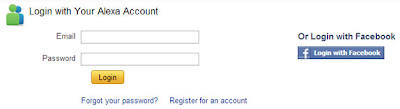
    • Visit Alexa.com and create an account.

    • Now log in to your account. If you don't want to create new account then you can also log in with your facebook account.
    Add Your Blog / Website To Alexa


    • Now go to alexa site owner page.

    • Now enter your blog/website domain name and click on Claim Your Site button as shown in below screenshot.
                                     
    • On the next page you will get all the plans and prices that alexa offers. As being a blogger I recommend you to choose Free plan. Click on Sign Up button under "Free Plan".
                                  choose alexa plan
    • Once you click on sign up button, on the next page you will see two verification options.
                                 alexa verification
    • If you are a blogspot user then choose Option 2 and add a meta tag in your blog template under <head> section. Before adding meta tag please backup your blog template.

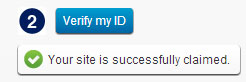
    • After adding meta tag in your blog, go back to alexa and click on "Verify my ID" button.If everything is right, you will receive a confirmation message like below picture.
                                          alexa confirmation
    • Click on continue to add your site details. Fill all the details like your site title and description, alexa rank in country and fill your public contact information.

    Ya You Have Done!!!!
    Read More
    Posted in Blogger Tips, Tips for High Traffic | No comments

    Wednesday, 5 June 2013

    Best Way To Make Backlinks For Blog

    Posted on 19:05 by Ashish Chaturvedi
                                                     

    Backlinks can change the way of blogging. If Quality Backlinks can improve your blog ranking then bad and poor backlinks can ruin your all efforts and hardwork into vain. Webmasters need to give special preferences to quality of backlinks. In Panda and Penguin World, quantity of backlinks doesn't matter. The thing which matter is Quality. In past, webmasters used to generate backlinks using poor techniques like profile links, link exchange with random websites, generating too many links with same anchor text on which they want to rank their blog in search engines.
    But the time has changed now. Google hates all of these link building techniques. Now we have to work on quality not the quantity. In this article I will share some best tips that can be follow to generate high quality backlinks.

    Quality Backlinks


    Below are some general methods of getting backlinks to a blog and you may be aware with them. But in this post I will tell you how to follow these methods correctly without any risk of SEO penalties. So, take a look at what to do and how.

    Tip 1: Blog Commenting


    Most of you will know that blog commenting is the best method for link building to a blog but do you know how blog commenting works. This is highly recommended to add blog commenting in your blogging schedule. Leave at least 10 comments daily on high ranked blogs same with your niche. It will not only help you in link building but also help you to increase blog traffic. Most of bloggers will know the benefits of blog commenting but they don't know how to take proper benefits of their time they spend on commenting on other blogs. Commenting on those blogs where you get nofollow link is a waste of time. Work on those blogs where you can get dofollow backlink for your blog.
    Use search engines to find CommentLuv and KeywordLuv enabled blogs and leave valuable comments on those blogs on daily basis. When you comment on those blogs then below every comment your recent posted post will be shown with title as anchor text. And even you can also use your keyword in the name field like this Ankit@Blogger Tips Tricks. That means you can get two backlinks from single comment. It will help you to generate high quality dofollow backlinks and your Page Rank will increase.

    Find CommuntLuv and KeywordLuv Enabled Blogs


    This is really a simple job to find those blogs which have installed Communtluv and KeywordLuv commenting system in it. Simply go with your favorite search engine and type the below query.

    1) your keyword "CommentLuv"
    2) your keyword "KeywordLuv"

    It means if I need to find blogs with blogging niche then I will search query like blogging "CommentLuv".

    Once you enter these types of search terms you will get the list of CommentLuv and KeywordLuv enabled blogs. Use them to increase your blog backlinks. Spend at least 20-30 minutes daily to read those blog's articles and leave valuable comment there. Don't put short comments like nice article, good article and all. Blog owner will not accept these types of comments and your efforts will be waste.

    Tip 2: Use Forums


    SEO Forums
    Participating in webmaster forums can help you to increase your blog readership. Readers will let to know about your blog and hence new visitors land to read your content. Denote some time from your schedule to use forums for link building. Answer the questions there under your perfection of field and use signature as a link back to your site. You can use below forums.

    Digital Point Forum


    This forum is especially for webmasters and SEO niche. You can ask your questions there as well can reply to those questions asked by others. Try to reply with best answer. Once your answers got liked by 3 established users then you will also become an established user. Then you can use signature below every answer which you give. Use link pointing back to your blog in signature column. Visit Digital Point Forum.

    Yahoo Answers


    "Yahoo Answers" is the best place to increase your blog traffic fast. There are millions of visitors on this question answer website. You should join this site for your own benefits. Spend some time to reply other's questions. There are 10 levels and when the number of your answers will increase these levels will also increase. As same as digital point forum, here you have the opportunity to put your blog link in source column. But that link will not be active. If you want an active link then you have to reach on second level. Second level means 250 points. 2 points for each answer and 10 points for the best answer if voted by the person who asks the question. Do answering on regular basis, it will bring new visitors to your blog and if they subscribe your feedburner feed then they will become your blog readers. Visit Yahoo Answers.

    Tip 3: Guest Blogging


    Guest Blogging
    Write your best and unique articles for other's blog. Yes, you heard right. Write for others and in return you will be awarded with a very powerful dofollow and targeted backlink with anchor text of your choice. Find blogs under the same niche which you have and contact their owners using contact us form in their blog to submit guest post. If they agree to publish your post on their blog then submit your post and include one or two link between content or in the Author's Bio section with your main keyword as anchor text. Guest Posting is beneficial for both the parties. Blog owners receive free and high quality articles for the blog and in return you receive high quality backlink for your blog.

    Note: Don't always build backlinks for your blog homepage. Try to build backlinks for internal pages also like category pages or any related post. For more SEO benefits you can also link to your sitemap page. By sitemap page, I mean the page which contains links to all published posts into your blog. You can visit my blog sitemap page for better understanding named as Blogger Tips And Tricks. By linking to that page means killing two birds with single stone. First is it will help Google Bots to crawl and index all of your posts and second is visitors will have to click to the links to read the article hence more page views.

    Tip 4: Internal Linking of Posts


    Internal Linking
    Internal links and External Links both plays an important role in SEO. Internal links also count as quality backlinks. Google loves those blogs which works on internal linking strategy. Let me tell you how internal linking works. Whenever you right new post, try to link your previous posts or popular posts with proper anchor text. It has multiple benefits like:

    1. Build Backlinks for all posts.
    2. Search engine crawlers will let to know about your blog content in deep. All the posts will get indexed fast. Hence better crawl rate.
    3. Flow of page rank juice to all internal posts.
    4. Increase Blog Traffic.
    5. Reduce Blog Bounce Rate.
    6. Increase blog visit time, hence better ranking in search results.
    So, what you think does internal linking works? Obviously works dear. Just try it and you will let to know yourself.

    What to Should do is 


    This is all about on how to build backlinks for blog in post panda and penguin world. I have shared my secrets with you guys. Now it's your turn. Use these strategies regularly and effectively and notice the positive change in your blog performance in search engines. I am also trying to learn more methods and ways for generating quality backlinks for blog. If you know other methods then please share them with me. Leave your comments below this post. I will be thankful to you guys. Happy Blogging!
    Read More
    Posted in Blogger Tips, Tips for High Traffic | 4 comments

    How to Increase Blog Traffic Using Google Webmaster Tools?

    Posted on 18:56 by Ashish Chaturvedi

    Blog traffic is one of the top goals of every savvy blogger to achieve. It is a long term process to increase blog traffic significantly. You can't improve your blog traffic in a day. You have to work hard on your blog to build its ranking and readership to receive decent amount of traffic. I have already shared some tips to increase blog traffic in my previous posts that you must follow. But today I bring a very interesting and genuine trick to increase your blog traffic using Google Webmaster Tools.
    If you follow this trick wisely then no doubt you can double your traffic in short period of time. Without taking your time any more, let see how to use Google Webmaster Tools to improve traffic of a blog or website.

    Using Google Webmaster Tools to Increase Blog Traffic

    1. Log in to your Google Webmaster Tools account.

    2. Choose your blog.

    3. Now from the left side menu, click on Traffic tab and choose Search Queries.

    4. traffic search queries

    1. Once you click on Search Queries link, a complete list of search queries terms will appear on your screen. Internet users use those keywords in search engines to find and to reach at your blog. That means you are receiving maximum traffic from those search queries. See below screenshot of search queries for this blog.


    2. Now the trick is, pick all short trail keywords which are 100% relevant to your blog niche. We will target those keywords to improve traffic to our blog.

    3. Once you select the relevant keywords, list all of them into a separate text file like in notepad.

    4. If you target those keywords in your blogging, then your SERP (Search Engine Result Page) will increase very fast because they all are those keywords for which your blog is already performing well in search results.

    5. Start working on those search queries and notice a significant improvement in your blog traffic.

    How to Target Keywords?


    To target those keywords you can use multiple methods of SEO and blogging. I am mentioning some of them below:
    1. Start writing some best articles using those keywords for your blog. The more you update your blog targeting those keywords, the higher you rank in search results.

    2. Build Quality backlinks for those articles and use your keywords in link building.Here is my words on  Tips To Build Quality Backlinks For Blog
    1. Do Off page SEO for your blog by targeting those search queries. You can use article submission, Social Bookmarking, Directory Submission etc.

    From Your Part

    This was today's trick to increase blog traffic. Friends, I shared this trick here because this works for me. Hope it will also work for you. Give it a try and notice the increase of your readers. Your blog page views will start increase day by day. Please share this post if you like my work. Thanks! Happy Blogging :)
    Read More
    Posted in Blogger Tips, Tips for High Traffic | No comments

    Latset Tips To Increase Blog Traffic

    Posted on 18:31 by Ashish Chaturvedi
                                                           

    Significant traffic is a need of every blogger. Sometimes we do everything to attract new visitors to increase blog traffic. We spend hours to design our blog template, work hard to write quality and unique content to publish but if we don't have decent audience to read our content then all of our hard work will be in vain. Quality traffic like from search engines (organic traffic) is really important to boost the ranking of blog. If you aim to make some money from your blog then work to drive traffic.
    Many of my blogger brothers and sisters struggle to generate traffic to their blog. So, I decide to share my own way on how to increase blog traffic. Let me introduce you to tips of the day.

    Tips To Increase Blog Traffic


    Read below 6 tips that really work to build traffic to a blog.
    1. Fast Loading Template


    2. You must need to make your blog looks professional. Always try to make your blog's look nifty. Visitors first look at the blog design and if they don't like the design then they will never come back. Try to get a fast loading template for your blog. Visitors love to read fast loading blogs. You can read our top 9 tips that will help you to make your blog loads faster.
    • Read: Tips To Reduce Blog Load Time
    1. Use Share Buttons


    2. Social share buttons really works to get new visitors to your blog. If your readers like your post content then surely they will share it with their friends. This will invite new readers to your blog to read the story. Beside this share buttons also help to increase your blog backlinks and search engines loves these backlinks. It will help your posts to rank in search engines and your traffic will increase.

    3. Keyword Research


    4. Keyword research is an interesting and enjoyable task. Before publishing any article always do some research on your keywords you are going to use into your post. Choose best keywords for your posts to target the audience. Always use Long Term Keywords (Long Tail Keywords) because they are easy to rank as compare to short term keywords. Google also show accurate result while somebody search for any information if the user query contains more than 5 words. You can use Google Keyword Tool to get idea which keyword you should use for your posts.

    5. Blog Commenting


    6. This is what I like most to increase blog traffic. Make it your habit to post comments on other popular blogs of same niche regularly. It is the best way to increase your blog readers. If possible then try to leave the first comment with link back to your sites. Because readers also read comments and first comment attract the readers and if your comment is interesting for readers then they will surely click on your link to know about your blog. It will increase your blog readership and hence more traffic to your blog.

      Note: Don't put spam comments. First read the post and then leave a valuable comment that add some value to the conversation. Don't comment like 'nice post', 'helpful article' etc. These types of comments not attract the readers.

    7. Reply to Comments


    8. Reply to your reader's comments. Solve their queries and doubt about the topic you are posting. It will help you to build better relationships with your blog visitors. They will like to visit your blog again and again to get something new. Returning visitors are really important for success of a blog.

    9. Use Q&A Sites


    10. Use Question and Answers websites like Yahoo! Answers. Try to be active on such sites because these sites can give of lot of free and targeted traffic. Search questions to your niche and answers them and provide your website link as source. If you give best answer then it will attract new visitors to your blog and they will become your reader. More readers equal to more traffic. You can also use some popular forums for this purpose like Digital Point Forums!

    Feedback!


    These are some tips on how to increase blog traffic. If you give some time on these tips then surely you will get new and targeted traffic to your blog. These tips will help your blog to get notified in search engine eyes. Once your blog starts ranking in search engines then your organic traffic will increase automatically. Please give me your valuable feedback about these tips. I really love it. Happy Blogging!

    Read More
    Posted in Blogger Tips, Tips for High Traffic | 2 comments

    Saturday, 1 June 2013

    Increase your blog traffic using Feed Shark

    Posted on 19:56 by Ashish Chaturvedi

                       
    Ping your blog, feed, or podcast for free


    Dear readers today I am going to give you a good way to increase your blog traffic. Feed Shark is a free online tool that easily promotes your blog or website - with the simple push of a button! Feed Shark pings a variety of services to notify the world that your blog, website, RSS feed, or podcast has recently been updated or created! It takes less than a minute to use Feed Shark and saves you countless hours of time in the process! Enjoy our service and have fun!


    Just follow the following steps to increase your blog traffic for free

    • Click feedshark link which leads you to  feedshark   home page as shown below


    • Now just enter the details and select all options given below for best results
    • After that there is an option to enable turbo mode. I prefer you to enable turbomode
    • After following the steps given above click on Ping my Blog
    • Now you have submitted your blog for the verification of blog you should follow the step3 out of three steps in feedshark page
          That's Done!!!!!! Now wait and see the changes in traffic of your blog

    Read More
    Posted in Blogger Tips, Tips for High Traffic | No comments

    Saturday, 18 May 2013

    How to increase traffic of blog/website

    Posted on 00:32 by Ashish Chaturvedi

    How to increase blog traffic easily

    1. User right blogging software (refer to this post : Two of My Favorite Blogging Softwares)
    2. For traffic you need content, so write at least 1 article per day or atleast 5-6 article a week
    3. Submit your blog to search engines
    4. Submit your blog to pings
    5. Write original content
    6. Give a good post title and keywords (How to Write A Blog Post : Some tips)
    7. Create a network with other bloggers
    8. Comment, comment and comment on other blogs
    9. Reply to comments (if needed)
    10. If possible, be the first one to write a comment
    11. Join forums and put your site’s link as signature
    12. Learn basis of SEO (Search Engine Optimization)
    13. Do both offsite and onsite SEO of your blog
    14. User social networking websites
    15. Interlink your posts
    16. Try to interlink your posts to other blogs also (remember, the topic should be same)
    17. Write guest posts
    18. User proper blogging tools
    19. Have a neat blog design/theme
    20. Try getting as much backlinks as you can
    21. Solve problems of other bloggers
    22. Build a brand
    23. Tag your images
    24. Install Google Analytics and keep an eye on your stats
    25. Try to write “Top 10″ list article and promote them through Digg dot com
    26. Write pillar posts
    27. Establish relations with other bloggers and your commentators
    28. Use Yahoo Answers
    29. Join Google Groups
    30. Do not sign up on link trains
    31. Follow search engine guidelines
    32. Start contests on your blog
    33. Link exchange with other bloggers
    34. Use Feedburner and enable Email Subscription
    35. Place social networking icons in your blog
    36. Create videos of tutorials and upload it on YouTube (do not forget to add watermark on your videos)
    37. Take interviews of big bloggers
    38. Write e-books and promote them via DigitalPoint and through your own blog
    39. Use good permalink URL structure for your blog
    40. If your blog is young, do not place any kind of ads on it
    41. Install forums on your blog
    42. Start polls on your blog
    43. Learn web designing, and design some WordPress or Blogger templates (you will huge backlinks and a good traffic)
    44. Use Facebook
    45. Share your secrets ( to get traffic always share your secrets)
    46. Join Blog Camps
    47. Write as much “How To” articles as you can (how to articles get huge traffic from search engines)
    48. Write “series posts” like HTML training series, SEO training series etc.
    49. Try to get at least 3 Google Page Rank
    50. Create a contact page
    51. Show yourself as an expert
    52. Research before writing
    53. List your best articles in the sidebar
    54. Create monthly roundups
    55. Create weekly roundups (if you write 15-20 articles in a week)
    56. Create controversies
    57. Always write about latest news with proper post title and proper use of meta tags (you will surely get traffic from search engines)
    58. Use Flickr
    59. Write your best content on weekends
    60. Always give credit of your source
    61. Be deep not broad
    62. Try writing on few topics (do not have a huge list of categories in your blog)
    63. Visit, to be visited (means : read other blogs)
    64. Have a good blog typography
    65. Respect your visitors : They are your guests
    66. Put your blog link in social networking websites
    67. Create list of mails, and mail them your best articles each week
    68. Gain Google trust
    69. Buy hosting from good company like Hostgator
    70. Learn more about your blog niche
             Ok readers end I think you have got some basic tips and ideas to start a blog with good traffic
    Read More
    Posted in Blogger Tips, Tips for High Traffic | 9 comments
    Older Posts Home
    Subscribe to: Posts (Atom)

    Popular Posts

    • 7 Best Shorten URL
      7 Best Shorten URL and Earn Money Sites that Pays for Clicks Most of the internet users must be knowing about this URL shortener sites ( Sho...
    • How to increase traffic of blog/website
      User right blogging software (refer to this post : Two of My Favorite Blogging Softwares ) For traffic you need content, so write at least ...
    • How To Convert A Facebook Account To Page?
      Dear readers to I will tell you haw to convert your personal facebook account to a facebbok page.  Are you still using a personal Facebook p...
    • Place Qadabra ads inside blogger post
      Dear bloggers I have given you many ways to insert codes and ads between blogger posts. Today I am introducing you to put the famous ad sens...
    • How To Earn Money Online Using Captcha Work?
       Dear CracksTrick readers today I am going to tell about a good way to earn money online. this is one of the genuine jobs that doesn't h...
    • Best Way To Make Backlinks For Blog
                                                        Backlinks can change the way of blogging. If Quality Backlinks can improve your blog rank...
    • Super Ram 6 Pro Full with Patch for Free
      SuperRam is basically an utility tool to enhance the performance of your computer.Its main features are as follows: Compatible with Microsof...
    • How To Optimise Google Adsense For High Earning
                                                                                  Google Adsense is a free program run by Google that allows you t...
    • Online Duplicate Content Checker Tools For Website/Blog
      Dear readers today I am going to tell you how to find duplicate content in your site/blog using some online tools. If you wish to have a goo...
    • BitDefender Antivirus Crack
                                                                                          BitDefender Internet Security offers Internet-connected ...

    Categories

    • Adsense Earning (11)
    • Anti Virus (4)
    • blog (1)
    • Blogger Tips (79)
    • Blogger Widgets (37)
    • Earn money online (19)
    • Earning By File Uploading (1)
    • Games (1)
    • Hacking (3)
    • Internet (1)
    • Media Players (1)
    • Moblie Tricks (13)
    • Modem Unlocker (1)
    • Online Jobs (13)
    • PC Tricks (16)
    • Serial Keys (2)
    • Skins For Windows (1)
    • Small And Easy Jobs (8)
    • Softwares (29)
    • Speed Up PC (6)
    • Tips for High Traffic (8)
    • Tricks (38)
    • URL Shortner (2)
    • Utilities (21)
    • Web Designer Software (3)
    • Website Tricks (24)
    • Windows (10)

    Blog Archive

    • ▼  2013 (183)
      • ▼  July (3)
        • How To Convert A Facebook Account To Page?
        • How To Send Friend Request In Facebeook When bloc...
        • How To Find And Remove Broken Links In Website/Blog
      • ►  June (25)
      • ►  May (152)
      • ►  January (3)
    • ►  2012 (15)
      • ►  December (15)
    Powered by Blogger.

    About Me

    Ashish Chaturvedi
    View my complete profile