Google Adsense Earning Trick With Coading Sript

  • Subscribe to our RSS feed.
  • Twitter
  • StumbleUpon
  • Reddit
  • Facebook
  • Digg

Thursday, 6 June 2013

Add Your Blog / Website Into Alexa

Posted on 12:00 by Ashish Chaturvedi
                                       
Add Your Blog / Website To Alexa

Alexa.com is the top most tool to check website ranking. Being is blogger you must need to improve your alexa ranking because it shows the authority of your blog/website and even advertisers also check your alexa ranking to know about your blog traffic and page views before buying an ad space on your blog. Ranking under 100K is really good which shows the value of your blog. The first step to improve your ranking is to claim your site on alexa and submit your blog details.
Alexa have its own systems that index new sites in their database but submitting your site manually is the best way to improve alexa ranking. Here is the tutorial on how to submit blog in alexa. Let's start the tutorial.

Add Your Blog on Alexa


Below are some steps which you have to perform to submit your website in alexa.
    • Visit Alexa.com and create an account.

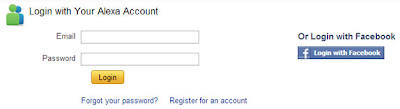
    • Now log in to your account. If you don't want to create new account then you can also log in with your facebook account.
    Add Your Blog / Website To Alexa


    • Now go to alexa site owner page.

    • Now enter your blog/website domain name and click on Claim Your Site button as shown in below screenshot.
                                     
    • On the next page you will get all the plans and prices that alexa offers. As being a blogger I recommend you to choose Free plan. Click on Sign Up button under "Free Plan".
                                  choose alexa plan
    • Once you click on sign up button, on the next page you will see two verification options.
                                 alexa verification
    • If you are a blogspot user then choose Option 2 and add a meta tag in your blog template under <head> section. Before adding meta tag please backup your blog template.

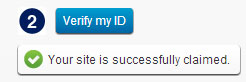
    • After adding meta tag in your blog, go back to alexa and click on "Verify my ID" button.If everything is right, you will receive a confirmation message like below picture.
                                          alexa confirmation
    • Click on continue to add your site details. Fill all the details like your site title and description, alexa rank in country and fill your public contact information.

    Ya You Have Done!!!!
    Email ThisBlogThis!Share to XShare to FacebookShare to Pinterest
    Posted in Blogger Tips, Tips for High Traffic | No comments
    Newer Post Older Post Home

    0 comments:

    Post a Comment

    Subscribe to: Post Comments (Atom)

    Popular Posts

    • Place Qadabra ads inside blogger post
      Dear bloggers I have given you many ways to insert codes and ads between blogger posts. Today I am introducing you to put the famous ad sens...
    • 7 Best Shorten URL
      7 Best Shorten URL and Earn Money Sites that Pays for Clicks Most of the internet users must be knowing about this URL shortener sites ( Sho...
    • How to add Scrollbar within the Blogger Post
                                                  Sometimes your blog post contents or text gets too long and you wants to add some blog post pa...
    • How To Automatically Add Blogger Post To Facebook
      Today you know that the best way to spread your article is social media. So after posting your article many bloggers usually add the article...
    • Super Ram 6 Pro Full with Patch for Free
      SuperRam is basically an utility tool to enhance the performance of your computer.Its main features are as follows: Compatible with Microsof...
    • Create a Contact Form With File Upload Option
      The contact form that I am using on this blog is from emailmeform and it is all free but customized using CSS. I previously published a p...
    • How To Convert A Facebook Account To Page?
      Dear readers to I will tell you haw to convert your personal facebook account to a facebbok page.  Are you still using a personal Facebook p...
    • Advanced SystemCare 5 Pro With Serial Number
                                                                   Advanced System Care 5 takes a one-click approach to protect, repair, clean, a...
    • Uniblue SpeedUpMy PC 2013 Full with License Key
      I am thankful to "bhagerath " who has shared this information with us. Speed Up My PC is a well known software which used for tw...
    • How to create your own keyboard shourcut
      Are there folders or applications you need a lot or use them havily?  Do you know that you can create your own keyboard shortcut to quickly...

    Categories

    • Adsense Earning (11)
    • Anti Virus (4)
    • blog (1)
    • Blogger Tips (79)
    • Blogger Widgets (37)
    • Earn money online (19)
    • Earning By File Uploading (1)
    • Games (1)
    • Hacking (3)
    • Internet (1)
    • Media Players (1)
    • Moblie Tricks (13)
    • Modem Unlocker (1)
    • Online Jobs (13)
    • PC Tricks (16)
    • Serial Keys (2)
    • Skins For Windows (1)
    • Small And Easy Jobs (8)
    • Softwares (29)
    • Speed Up PC (6)
    • Tips for High Traffic (8)
    • Tricks (38)
    • URL Shortner (2)
    • Utilities (21)
    • Web Designer Software (3)
    • Website Tricks (24)
    • Windows (10)

    Blog Archive

    • ▼  2013 (183)
      • ►  July (3)
      • ▼  June (25)
        • Get Unlimitted Free Video/Voice Calls For Mobile
        • Online Duplicate Content Checker Tools For Website...
        • How To Add Links In Comments?
        • How To Get Backlink From Our Content Copiers?
        • Best Ways to Make Money By Blogging
        • How To Automatically Add Blogger Post To Facebook
        • How to Add link Of Post Below Every Post In blogger
        • How to Add Related Posts Below Blogger Post ?
        • How To Delete administrator Password?
        • How To Earn Money Online Using Captcha Work?
        • New Effective Ways to Build Organic Backlinks
        • Tips to Optimize Blog To International
        • Why Amazon Mturk No Longer Accepts International w...
        • Way To Get Sucess In Affiliate Marketing
        • How To Redirect Blogger 404 Error Page to Home Page?
        • How To Optimise Google Adsense For High Earning
        • How to Add a Sitemap of your Blogger
        • Add Your Blog / Website Into Alexa
        • Tips To Reduce Blog Bounce Rate
        • Stylish Recent Posts Widget For Blogger
        • Best Way To Make Backlinks For Blog
        • How to Increase Blog Traffic Using Google Webmaste...
        • Latset Tips To Increase Blog Traffic
        • Increase your blog traffic using Feed Shark
        • Which is good : Bolgger Or Wordpress
      • ►  May (152)
      • ►  January (3)
    • ►  2012 (15)
      • ►  December (15)
    Powered by Blogger.

    About Me

    Ashish Chaturvedi
    View my complete profile